Billing and usage
See your plan and how much you've used this period, and change your plan.
Who can do this: owners and admins.
Go to Settings → Billing and usage. A conversation counts when your agent answers it; your team's replies don't count.
See your usage
The Conversations card shows how many you've used this period and when the count resets. The line under the bar tells you where you stand, such as On track, Running low or Runs out around a date.
Change your plan
Select Upgrade plan (or Change plan), pick a plan and Monthly or Yearly, then select Continue to checkout.
Buy extra conversations
On the Conversations card, select Buy more. Under Add-ons, select Buy next to what you need.
Set your own limit
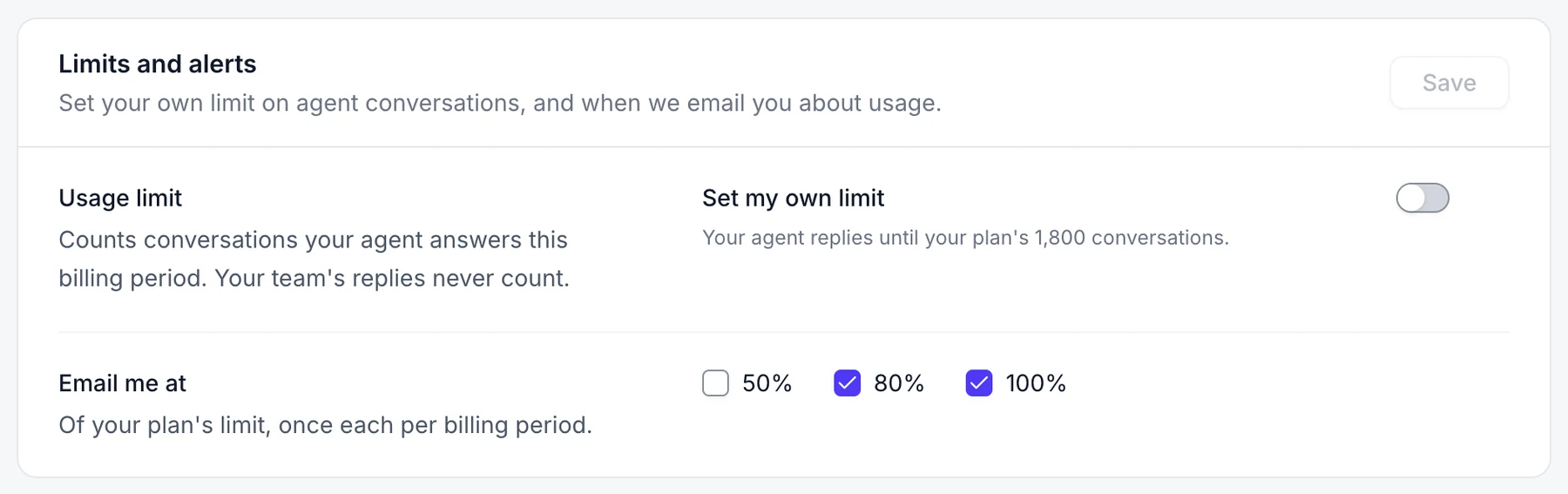
- On the Conversations card, select Set a limit. Under Limits and alerts, turn on Usage limit and enter a number.
- Choose what happens when you reach it, and when to get an email.
- Select Save.
Download invoices
Recent invoices shows your latest five. Select All invoices to see every payment, filter by year and see the total paid. Select the download icon on a row to open its PDF.
Good to know
- To update your card or cancel, select Manage payment.
- When your conversations run out, your agent pauses and new chats go to your team until you upgrade, buy more or the count resets.