Products
If you sell products, your agent shows and sells them in chat, with real prices and stock.
Who can do this: owners and admins. Members can view the page.
In the sidebar, under AI agent, select Products.
1 Choose where your products are
Pick Shopify, WooCommerce, Any website or Upload a file. Import methods compares them.
2 Connect it
Enter your Store web address and select Find my products. If the product we show is yours, select Yes, sync my products.
3 Keep products up to date
Select Sync now to read your products again. To use a different source, open the ⋯ menu and select Change source.
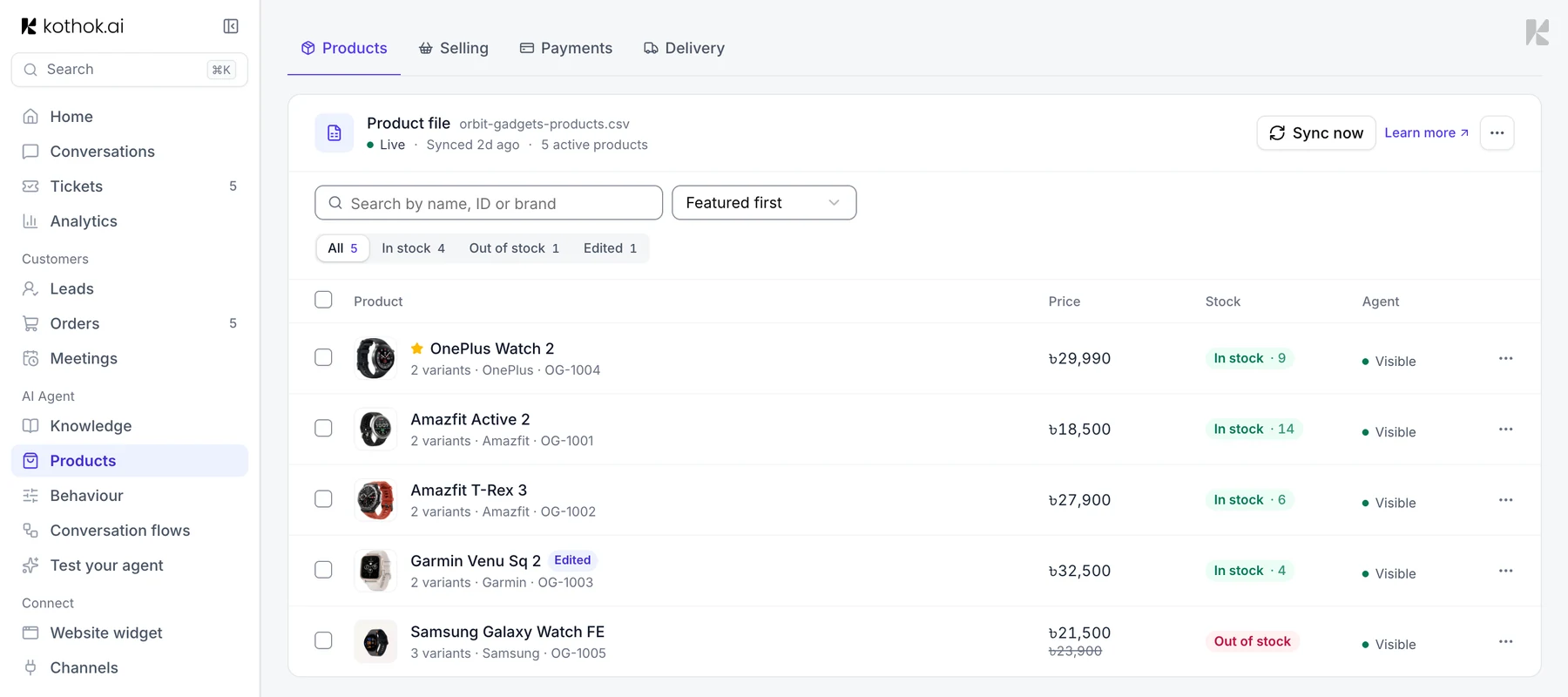
4 Change what your agent knows about a product
Select a product. On the Details tab, change its name, description, price or stock, then select Save. Your changes are kept when your store syncs again; Reset to synced undoes them.
Under For your agent, turn off Visible to your agent to stop your agent suggesting the product, or turn on Feature this product to suggest it first.
Products synced from Shopify show their details read-only: edit them in Shopify. You can still turn off Visible to your agent and choose which variants it offers.
5 Choose which variants your agent offers
On the Variants tab, turn off a size, colour or other variant your agent shouldn't offer, then select Save. Your agent won't suggest it, add it to a cart or take an order for it, and store syncs keep it off. Turn all on brings them all back.
When you turn variants off, the price your agent shows comes from the variants still on. If every variant is off, your agent can't sell the product.
This works for Shopify products too.
If something goes wrong
"We couldn't read your products from this address". Upload a file or use a product feed instead.
A price is wrong in chat. If the product shows Your edits, select Reset to synced. Also check the Variants tab: the price comes from the variants that are on.
A size can't be ordered. Check it's on in the Variants tab.