Comment replies
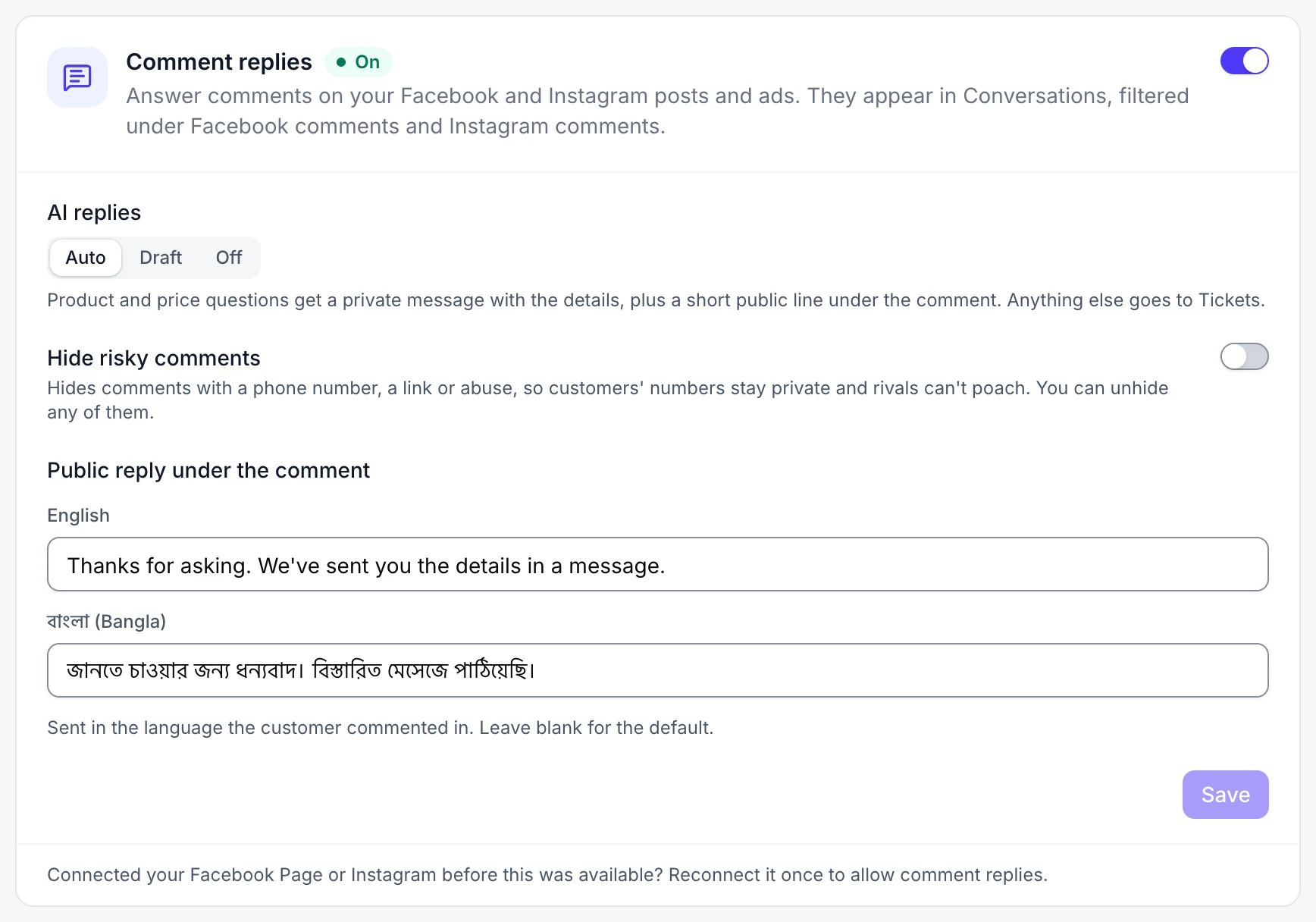
Let your agent answer comments on your Facebook and Instagram posts and ads. Comments show in Conversations next to your messages.
Who can do this: owners and admins.
Before you start
- A connected Facebook page or Instagram account.
1 Turn comment replies on
In the sidebar, under Connect, select Channels. Turn on the switch on the Comment replies card.
2 Choose how your agent replies
Under AI replies, pick Auto (your agent replies), Draft (a teammate checks and sends) or Off (your team replies).
3 Set the public reply
With Auto, your agent sends the details privately and posts a short line under the comment. Write your own under Public reply under the comment, then select Save.
Good to know
- Turn on Hide risky comments to hide comments with a phone number, a link or abuse.