Google Calendar
Connect your calendar so your agent offers times you're free and books meetings for you.
Who can do this: owners and admins.
1 Open Calendar
In the sidebar, under Customers, select Meetings, then open the Calendar tab.
2 Connect Google Calendar
Select Connect Google Calendar, sign in with the account that owns the calendar and allow access. We only check when you're busy and add the meetings we book.
3 Set your booking preferences
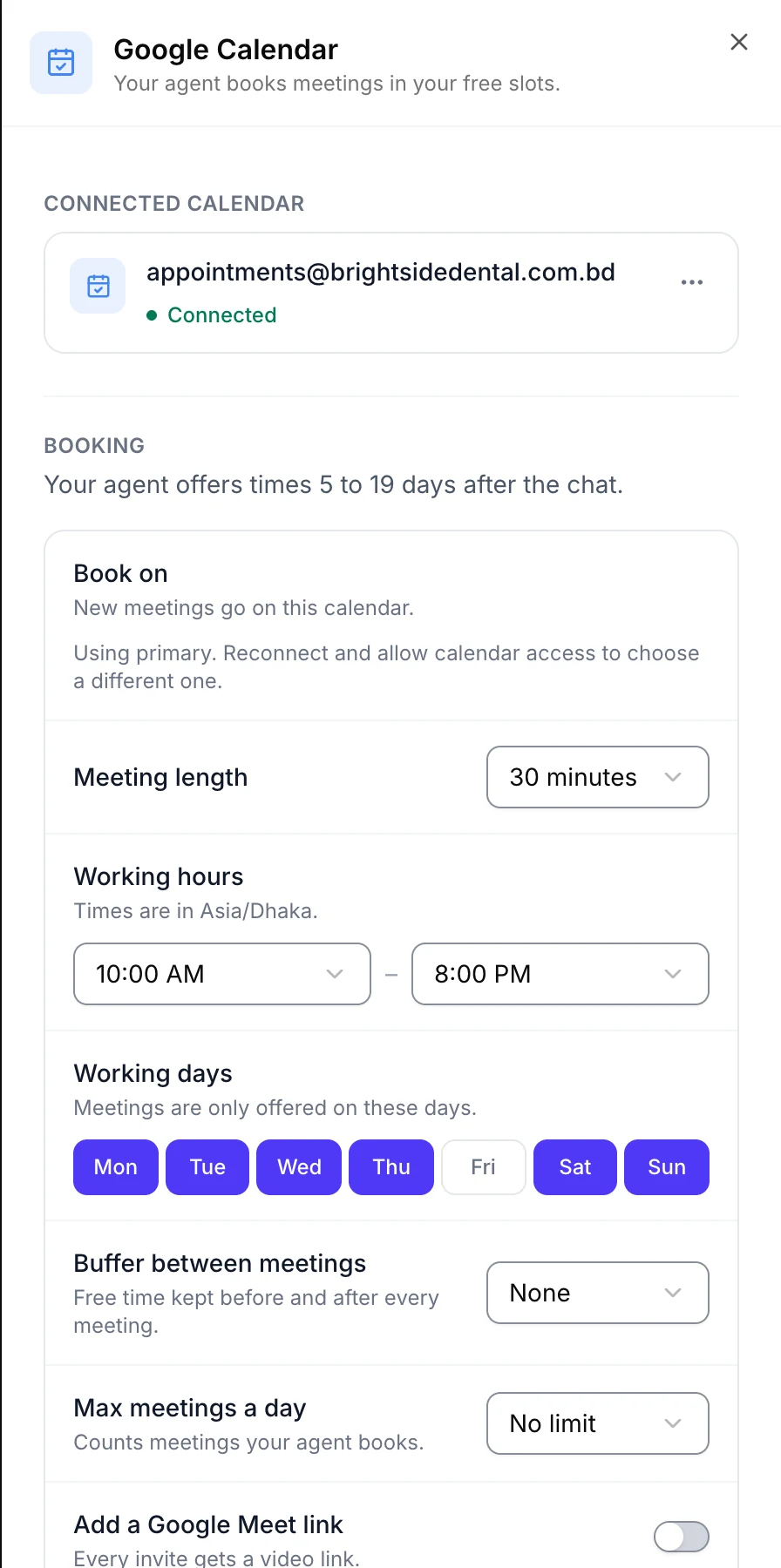
Select Manage on the Google Calendar card. Choose the calendar, meeting length, and your working hours and days.
4 Test it
Ask for a meeting in your website widget. The time you pick appears on your calendar and in Meetings.
If something goes wrong
Kothok needs access to your calendar. Connect again and tick the calendar permission.
The agent offers times I'm not free. Check you picked the right calendar under Book on.