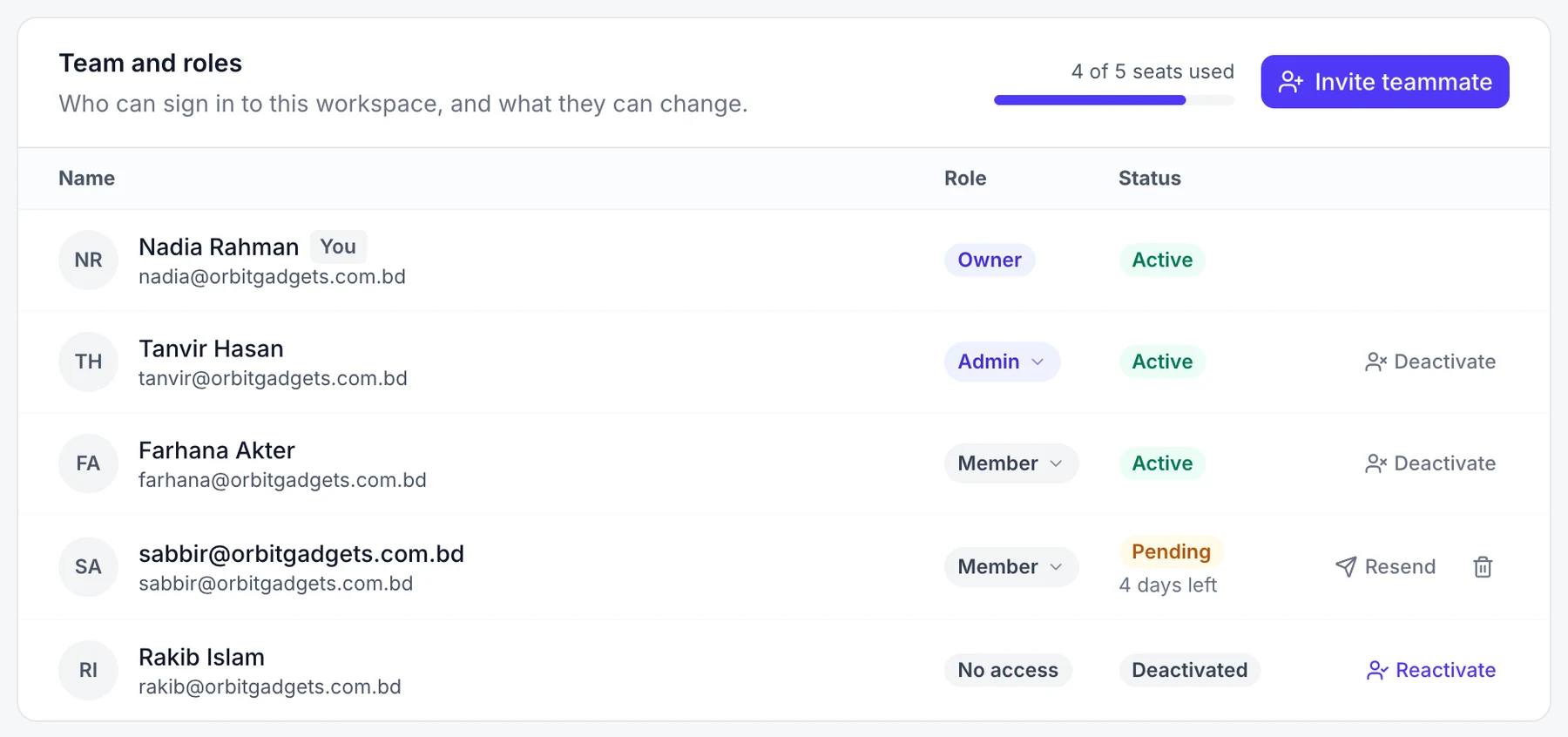
Team and roles
Invite the people who answer chats and tickets with you, and choose what each one can change.
Who can do this: owners and admins. Only the owner can deactivate someone.
Roles
- Owner: everything. There is one owner per workspace.
- Admin: everything a member does, plus settings, billing, channels and the team.
- Member: answers chats, tickets, orders and leads.
Invite a teammate
- Go to Settings → Team and roles and select Invite teammate.
- Enter their Email, choose Member or Admin, and select Send invite.
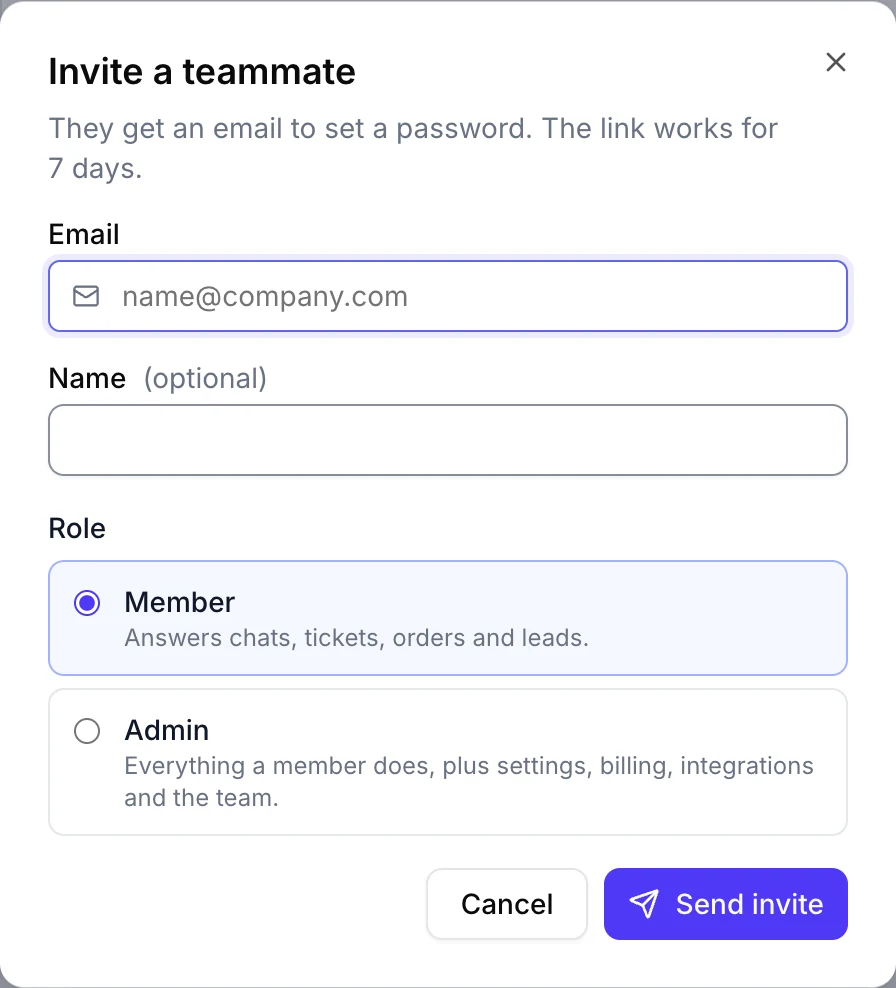
The invite link works for 7 days. Select Resend invite if it runs out.
Change someone's role
Select the role on their row and pick Admin or Member.
Turn off someone's access
On their row, select Deactivate. Their conversations and history stay. Select Reactivate to let them back in.