Tickets
A ticket is a chat that needs someone on your team. It opens when your agent hands a chat over, when you select Hand to team in Conversations, or when an order or payment needs you.
Who can do this: everyone on your team.
Statuses
| Status | Meaning |
|---|---|
| Open | Waiting for your team. |
| Pending | Waiting for the customer. |
| Resolved | Done. |
Work a ticket
In the sidebar, select Tickets, then select a ticket.
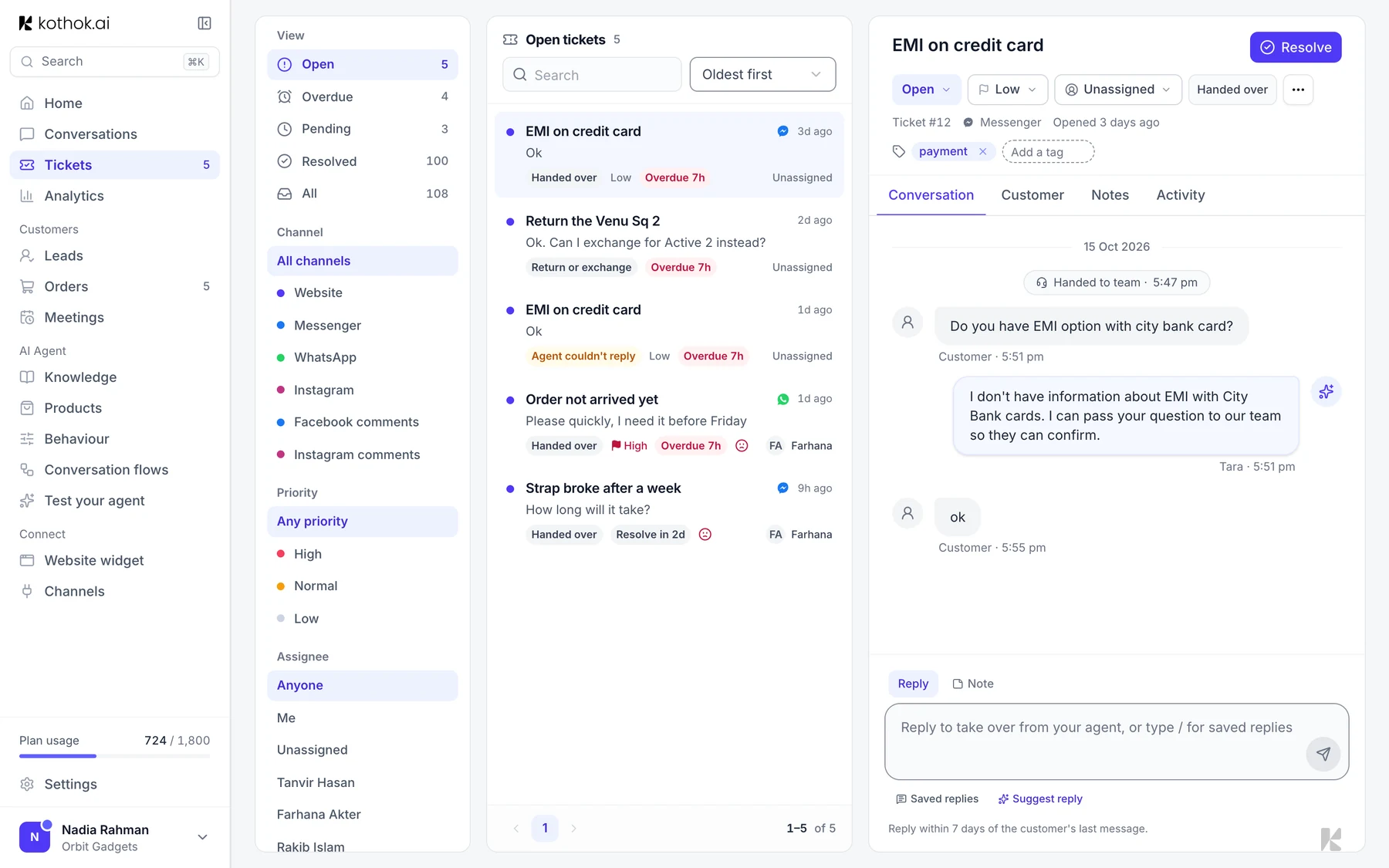
- Assign it and set the priority from the menus at the top.
- Reply in the Messages tab, or add a note for your team.
- Select Resolve when it's done.
Good to know
- Resolving the chat resolves its ticket too, except for order tickets.
- To combine two tickets about the same thing, open ⋯ and select Merge into another ticket.