Website widget
Put the chat widget on your site so your agent answers visitors on every page.
Who can do this: owners and admins.
1 Open the Install tab
In the sidebar, under Connect, select Website widget, then open the Install tab.
2 Pick where your site is built
Under Where is your site built?, pick your platform. WordPress and WooCommerce use the Kothok plugin, with no code.
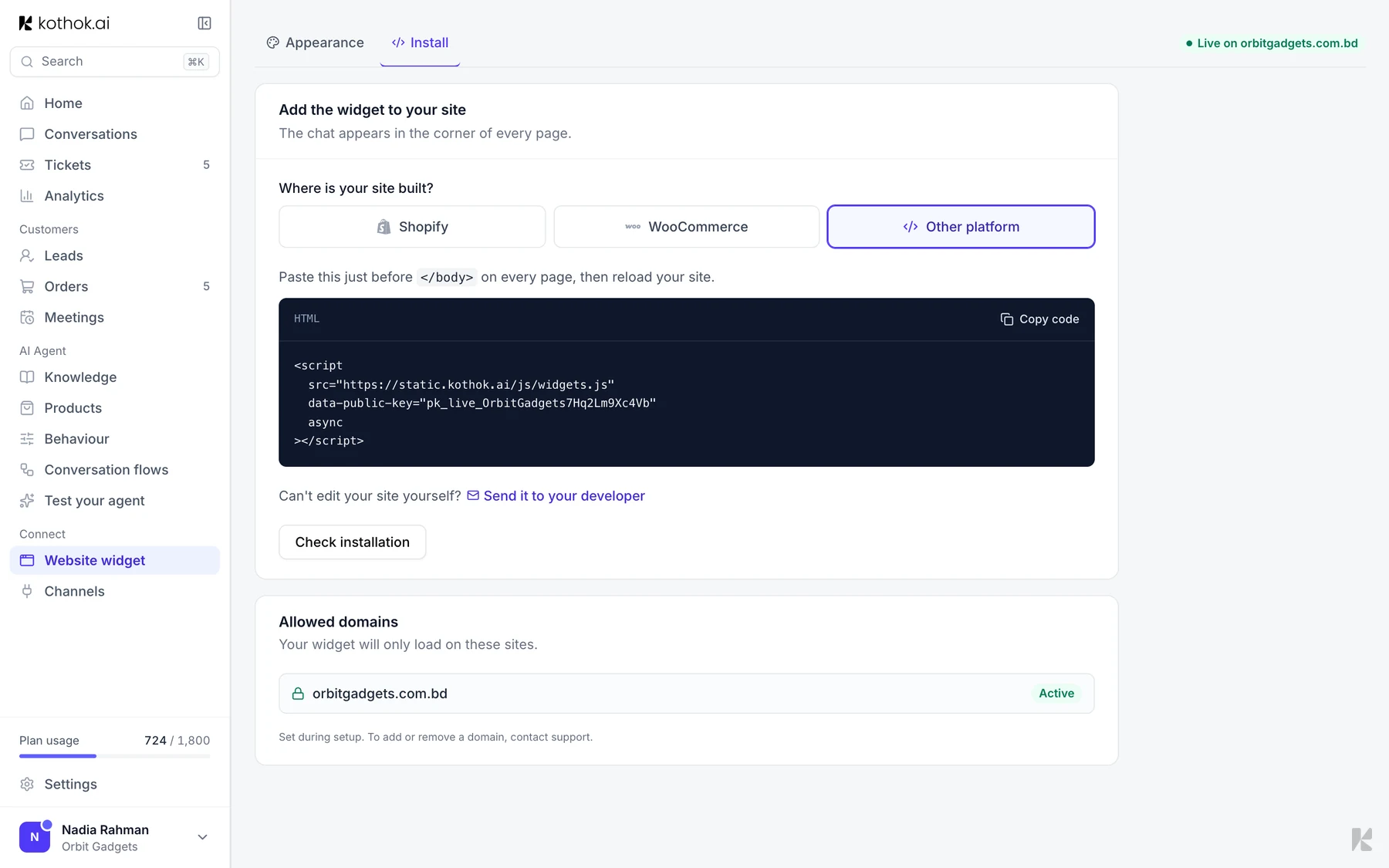
3 Copy the code and paste it before </body>
Select Copy code and paste it just before </body>, usually in your theme
footer. Or select Send it to your developer.
4 Check it works
Select Check installation, or open your site. The chat bubble appears in the corner.
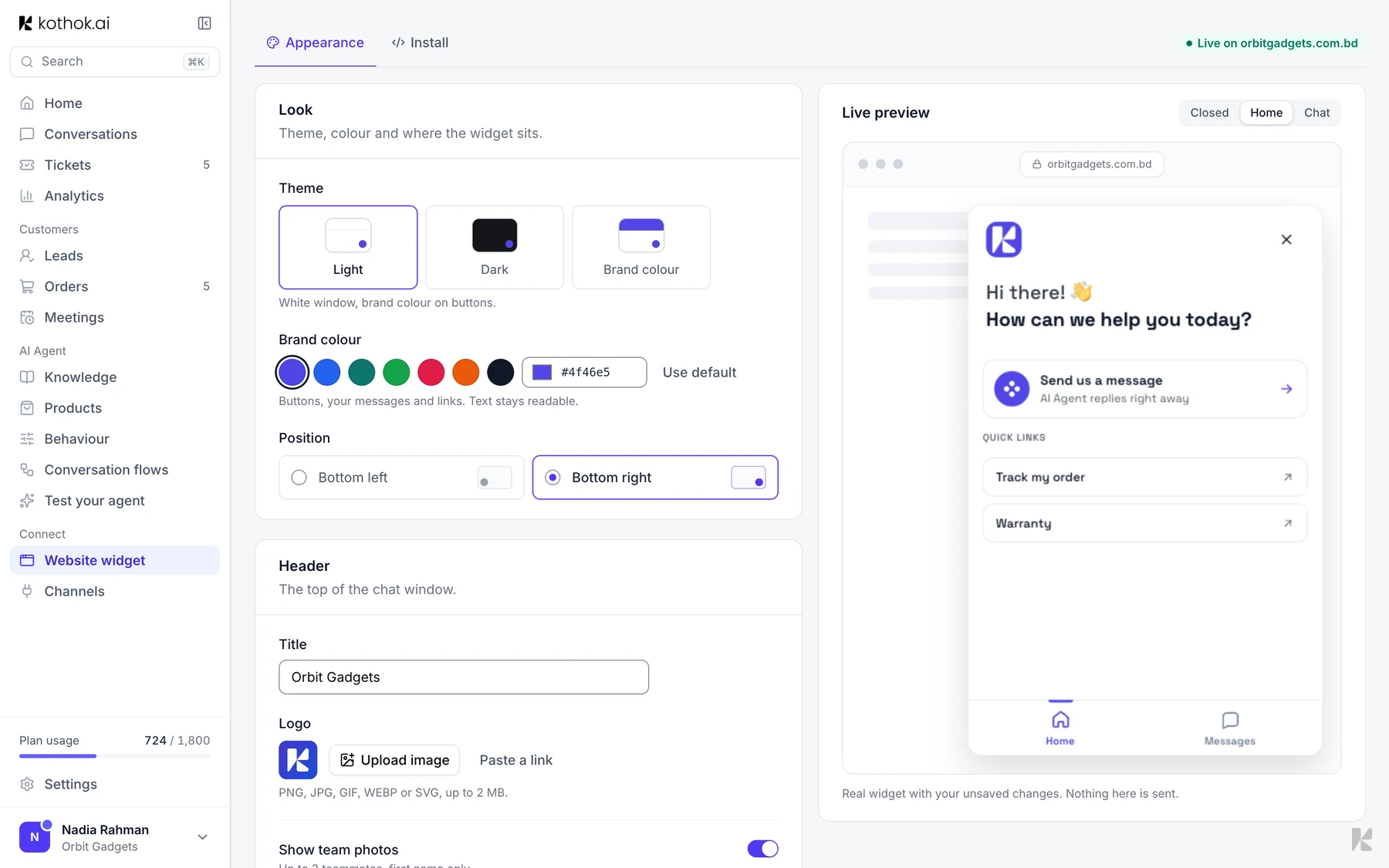
Change how it looks
On the Appearance tab, set the colour, position, title, logo and greeting. Your site picks up changes on the next page load.
If something goes wrong
The bubble does not appear
Check your domain is in Allowed domains on the Install tab, then clear your site's cache. To add a domain, contact support.