Leads
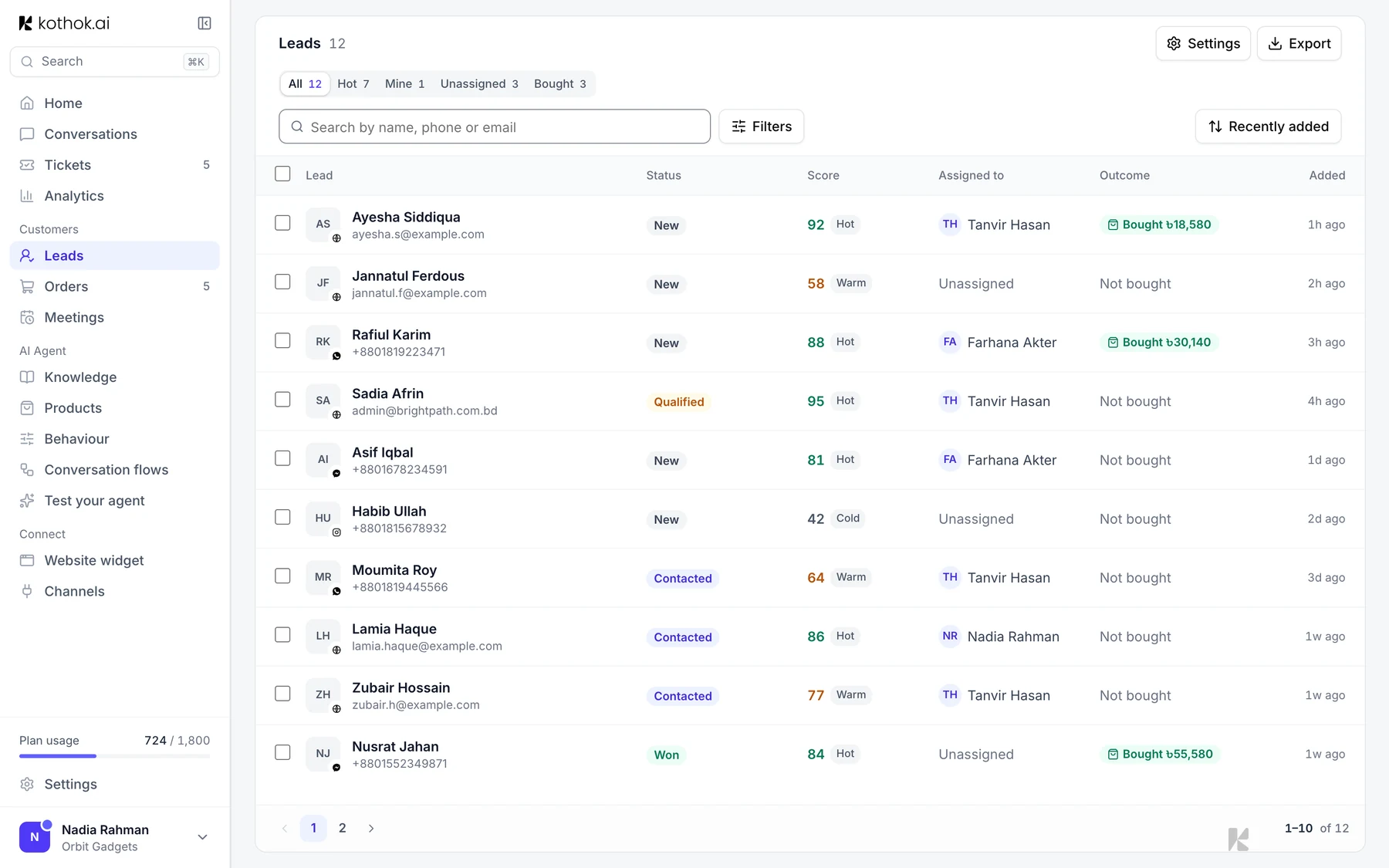
When a customer shares their contact details in a chat, or clearly wants to buy, Kothok saves them as a lead so your team can follow up.
Who can do this: everyone on your team. Only owners and admins can export leads or change lead settings.
Work a lead
In the sidebar, select Leads. Each lead has a score (Hot, Warm or Cold), a chat summary and suggested next steps. Select a lead to open the chat, change its status or assign it to a teammate.
Lead settings
Owners and admins can select Settings on the Leads page to share new leads between teammates in turn, set questions your agent asks before a sale, and turn on a follow-up message.
Export leads
Select Export, pick a date range and select Download. Kothok emails an Excel file to your business email address.
Good to know
- A lead is saved when the chat ends, so a customer still chatting won't show yet.
If something goes wrong
The export never arrived. Check your spam folder, then try again after a minute.