Knowledge
Knowledge is what your agent answers from: your website, your files, and answers you write yourself.
Who can do this: owners and admins. Members can read everything.
In the sidebar, under AI agent, select Knowledge.
Content
Your website pages and uploaded files. Live means in use; Failed means we couldn't read it.
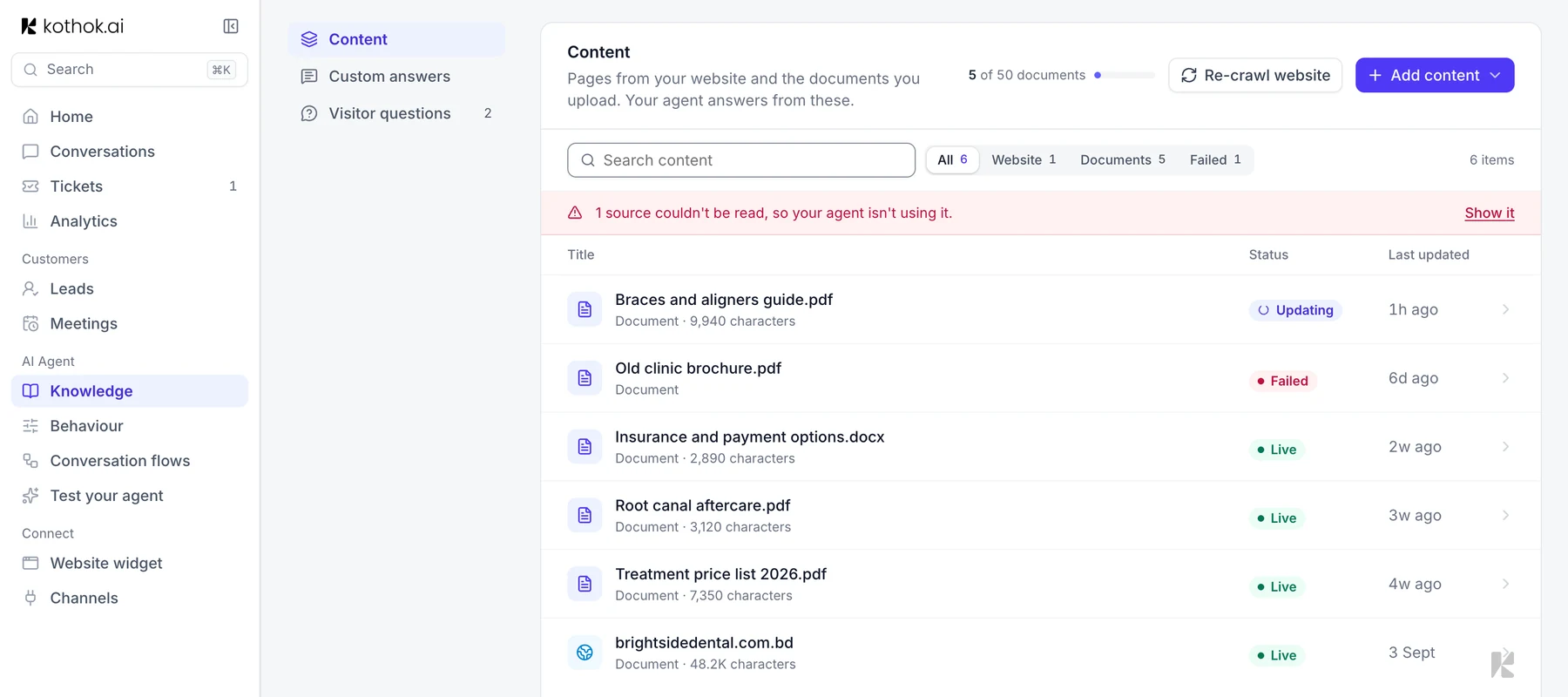
Upload a file: select Add content, then Upload files. PDF, DOCX or TXT, up to 5 MB each. Add content also offers Custom answer, a set reply on every channel, and Conversation flow, a step-by-step chat (see Conversation flows).
Update your website pages: select Re-crawl website. You can re-crawl twice a month on Free and 10 times a month on paid plans; a re-crawl that finds no changes doesn't count. On paid plans you can also have it re-crawled on its own once a month: set Auto next to the button to Monthly. It's off until you turn it on, and runs overnight (12am to 6am your time) when your site is quiet. A re-crawl that finds no changes keeps your current content as it is. Your agent answers from the newest crawl. Older crawls stay in the list as Replaced so you can look back at them, but your agent no longer uses them and you can't edit them. Edits you made to the current crawl don't carry over, so put lasting fixes in a custom answer. You can delete a replaced crawl, but not the current one.
Edit a source: select a row, then Edit, change the text and select Save.
Custom answers
A question and the exact reply you want, for answers that must be exact.
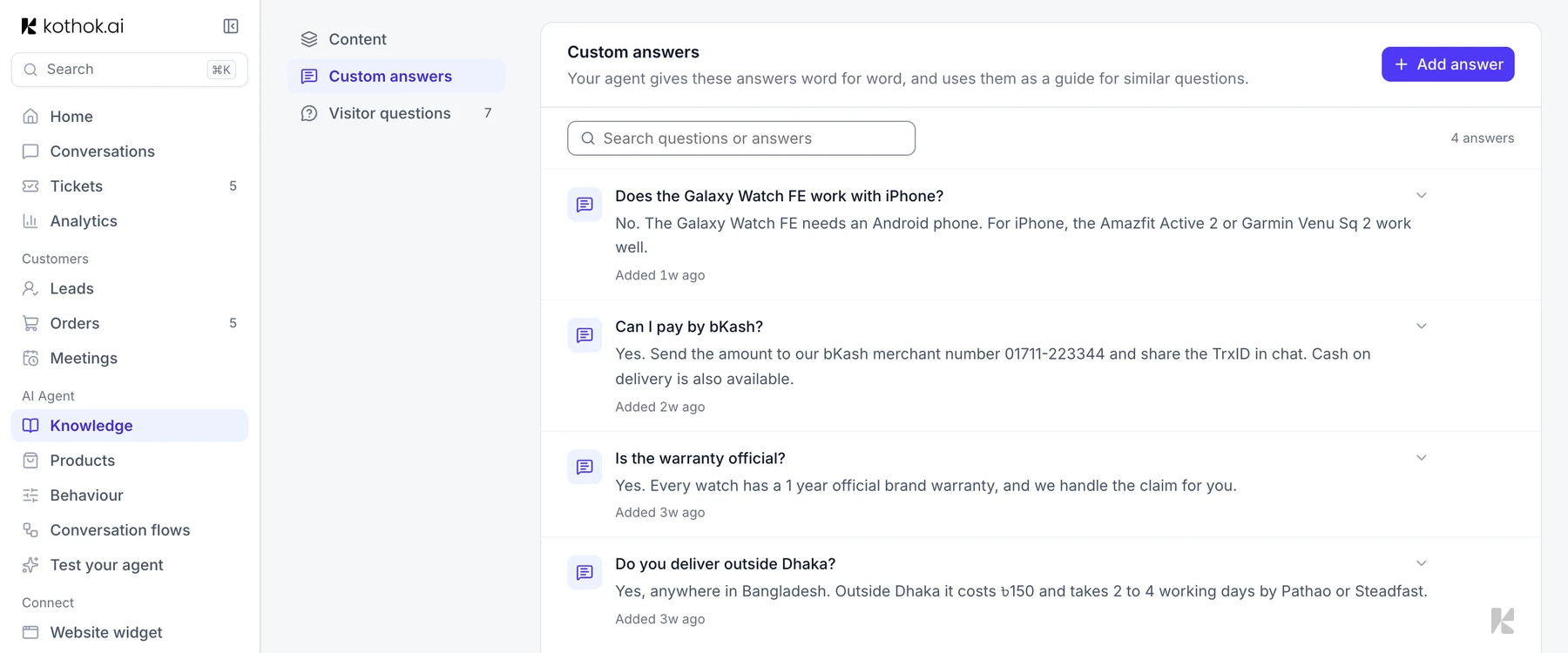
- On the Custom answers tab, select Add answer.
- Under Question, type it the way a customer would ask it.
- Under Answer, type the reply, then select Save.
Visitor questions
Questions your agent couldn't answer, most asked first. Select Answer next to one, write the reply and select Save. It becomes a custom answer.
If something goes wrong
A file says Failed. Open it and select Retry. If it fails again, save it as a new PDF and use Replace file.
My agent gives an old answer. Add a custom answer; your agent gives it word for word.